
JamSession Theme Documentation
by on април 21, 2013 in News
reCAPTCHA Validation
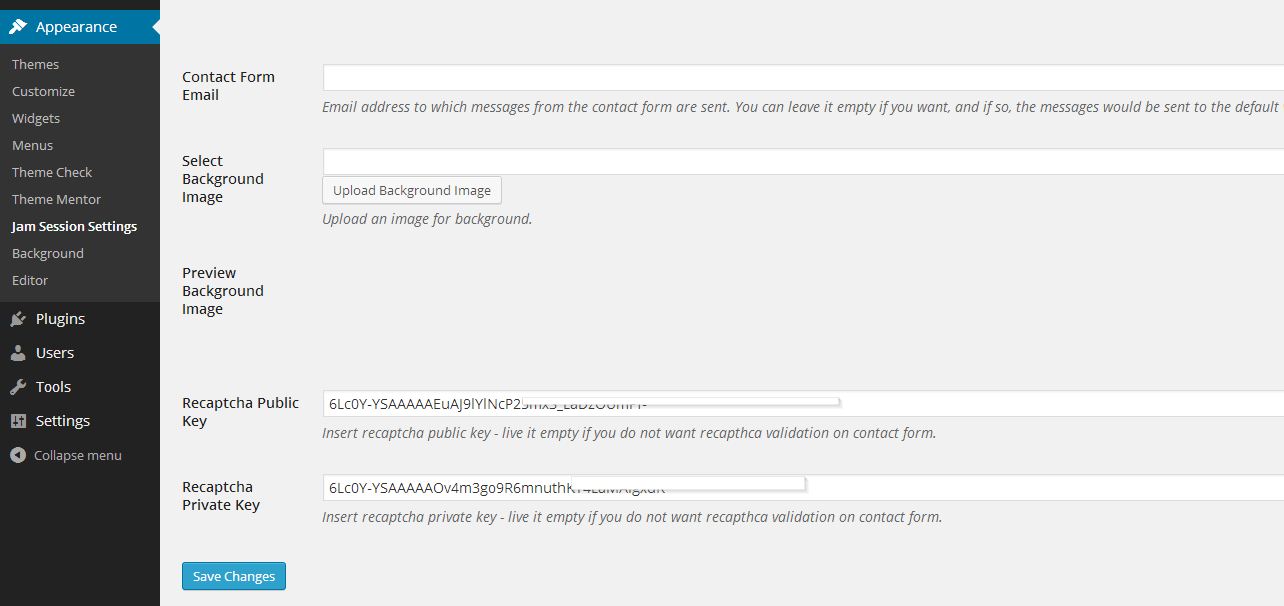
By default, recaptcha validation is disabled. To enable it, you must enter recaptcha public and private key to JamSession settings. Please follow the next steps:
1. Go to Appearance -> JamSession Settings
2. Select the General Options tab
3. At the bottom, insert recaptcha public key https://ihip.mohfw.gov.in/npcchh/ and recaptcha private key. You can sign up for recaptcha keys by following this link.



ЗОНА М1 на EX YU RADIO

BALKAN RADIO

Испрати ни е-маил

Официјално Лого – Симни Зона М1 логоа